
“It worked perfectly on my local machine.”
We hear this phrase constantly from startup founders. When you launch your MVP with 50 users, your dashboard loads instantly. But six months later, with 5,000 users, that same dashboard takes 4 seconds to load. Users start complaining, churn increases, and your server bills skyrocket.
You might think you need a bigger server. You usually don’t.
In 80% of the legacy applications we audit at Celestial Infosoft, the culprit isn’t the hardware, it’s a silent architectural flaw known as the N+1 Query Problem.
In this guide, we’ll break down exactly what this is, why it kills app performance, and the “Senior Developer” way to fix it.
Table of Contents
What is the N+1 Problem?
To understand why your database is choking, imagine you need to buy milk, eggs, and bread.
- The Efficient Way: You drive to the store once, buy all three items, and drive home. (1 Trip)
- The “N+1” Way: You drive to the store for milk. You drive back home. You drive to the store for eggs. You drive back home. You drive to the store for bread. (3 Trips)
It sounds ridiculous, but this is exactly how many modern applications talk to their database.
When Laravel developers use ORMs (Object-Relational Mappers) like Eloquent, TypeORM (Node.js), or Django, it’s very easy to accidentally write code that makes a “separate trip” for every single item on a list.
The Technical Deep Dive: “Lazy” vs. “Eager” Loading
Let’s look at the code. This is where the difference between a Junior and a Senior engineer often becomes visible.
The Scenario
You want to display a list of 50 Users on a dashboard, and for each user, you want to show their Latest Order.
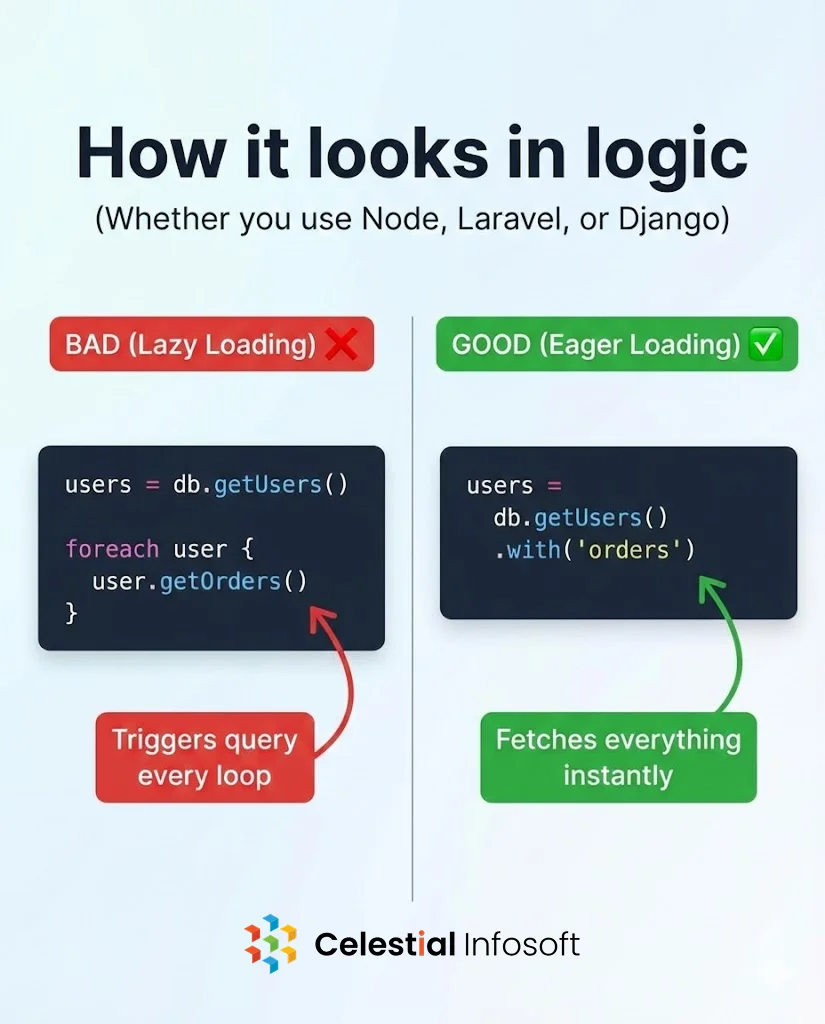
The Mistake: Lazy Loading (The N+1 Way)
Here is logically correct but performance-killing code:
JavaScript
// Pseudo-code example
users = db.getUsers(); // 1 Query to get 50 users

foreach (users as user) {
    print(user.name);
    print(user.orders.last()); // ERROR: Triggers a NEW query for every loop!
}
The Math:
- 1 Query to fetch users.
- 50 Queries (one per user) to fetch orders.
- Total: 51 Queries for one page.
If your app scales to 1,000 users, this page will run 1,001 queries. This causes “Linear Degradation”—your app gets slower exactly as fast as it grows.
The Fix: Eager Loading (The Solution)
At Celestial Infosoft, we use Eager Loading to solve this. We instruct the database to prepare all the data before we start looping.
JavaScript
// The Optimized Way
users = db.getUsers().with('orders'); // Fetches EVERYTHING in 2 queries

foreach (users as user) {
    print(user.name);
    print(user.orders.last()); // Data is already in memory. No new query.
}
The Result:
- Total: 2 Queries.
- Performance: Consistently fast, whether you have 50 users or 5,000.
Why This Matters for Business Owners
You might ask, “Why do I care about the code style as long as it works?“
Because Latency = Revenue.
- Google Core Web Vitals: Google penalizes slow websites. If your database is thrashing, your SEO ranking drops.
- Server Costs: An N+1 issue consumes massive CPU resources. You end up paying for expensive cloud upgrades to mask bad code.
- User Retention: 53% of mobile users abandon an app if it takes longer than 3 seconds to load.
We recently helped a Fintech client reduce their API response time from 2.4 seconds to 180 milliseconds just by refactoring N+1 queries. No new servers, just better architecture.
Related: See our detailed breakdown of this architecture on LinkedIn
How to Detect if You Have This Problem
You don’t need to read every line of code to find this. Here are the tools we use at Celestial Infosoft during an audit:
- Laravel Telescope / Django Debug Toolbar: These show you exactly how many queries ran for a specific page. If you see “50 queries” for a simple list, you have a problem.
- New Relic / Datadog: Great for monitoring production apps. Look for “throughput spikes” on your database.
- Query Logs: simply checking your SQL logs for repeated
SELECT * FROM orders WHERE user_id = ?statements.
Conclusion: Build for Scale, Not Just MVP
The N+1 problem is the most common “silent killer” of scaling applications. It works fine in development but creates a bottleneck in production.
If your application feels sluggish, don’t just throw money at AWS or DigitalOcean. It might be time for a code audit.
Need a Performance Review? The team at Celestial Infosoft specializes in high-performance architecture for React, Node, and Mobile apps. Contact us today to get your app running at speed.
FAQ
What is the N+1 problem in simple terms?
It is a performance issue where an application makes separate database calls for every item in a list (N items + 1 initial call), instead of fetching all data in one go.
Does N+1 only happen in SQL databases?
While most common in SQL (MySQL, PostgreSQL), it can also happen in NoSQL databases like MongoDB if you are referencing documents poorly without using $lookup or aggregation.
How do I fix N+1 in Laravel or Rails?
Use “Eager Loading.” In Laravel, use with(). In Rails, use includes(). In Django, use select_related() or prefetch_related().
Will caching solve the N+1 problem?
Caching can hide the symptoms, but it doesn’t fix the root cause. If the cache clears, your database will still get hit with 1,000 queries instantly. The best practice is to fix the query first, then add Redis caching for extra speed.